Boitata
To understand more the reasoning on the project read my blog post about it.
Boitata is a one-shot, end-to-end coding agent written in Rust. It is inspired by Stripe's Minions and Block's Goose, and it runs tasks unattended with little human input.
What it does
Give Boitata a task in plain language and it plans, reads and edits files, runs commands, and iterates against the compiler and test suite until the work is done. Then it hands you a summary and a full audit trail of every action it took.
- Unattended runs. A task goes in, a result comes out. No mid-run hand-holding.
- Determinism first. It leans on real tools (
cargo clippy,cargo fmt,cargo test,rg,git) instead of asking the LLM to do everything. - Auditable. Every run appends a structured JSONL event log, so you can reconstruct exactly what happened.
- Composable workflows. Blueprints stitch agent, tool, script, and human-approval steps into graphs (fan-out, retry, verify loops).
- Extensible. Connect any Model Context Protocol server and its tools become available to the agent loop.
In a hurry?
git clone https://github.com/cats-of-the-world/boitata.git
cd boitata
cargo build --release
export BOITATA_API_KEY="your-key"
./target/release/boitata run "Summarize the files in the current directory"
See Quick Start for the full walkthrough.
This book
| Section | What you'll find |
|---|---|
| Getting Started | Install, configure, and run your first task |
| Concepts | The reasoning behind the design |
| Reference | Every knob, tool, and integration |
| Interfaces | The HTTP server and web UI |
| Project | Where Boitata is headed |
Installation
Boitata is a Rust workspace. Building it needs the Rust toolchain plus two
external tools: ripgrep (backs the search tool) and git (backs the git_*
tools).
Prerequisites
| Tool | Why | Minimum |
|---|---|---|
| Rust toolchain | Build the project | pinned by rust-toolchain.toml |
ripgrep (rg) | The search tool | 14.x |
git | The git_* tools | any recent release |
The toolchain channel is pinned in
rust-toolchain.toml.
rustup reads it automatically, so local builds, CI, and new machines all use
the same compiler. Crate versions are locked by the committed Cargo.lock.
Automated setup
To set up a new machine deterministically:
./scripts/setup.sh
This installs the exact pinned Rust toolchain, installs the pinned ripgrep
release, and checks for git.
Build from source
git clone https://github.com/cats-of-the-world/boitata.git
cd boitata
cargo build --release
The binary lands at ./target/release/boitata.
There is no published binary or crate yet, so build from source for now.
Verify the install
./target/release/boitata --help
Next, configure a provider in Quick Start.
Quick Start
This page takes you from a fresh build to a completed task in a few minutes.
1. Create a config file
Boitata reads its settings from a TOML file. Start from the template:
cp boitata.example.toml boitata.toml
boitata.toml is git-ignored, so your API key never gets committed. The CLI
looks for it in the current directory by default; override with --config <path>
or the BOITATA_CONFIG environment variable.
A minimal config points at a provider, a model, and an endpoint:
provider = "openai"
model    = "glm-4.6"
base_url = "https://api.z.ai/api/paas/v4/chat/completions"
max_tokens = 4096
Every field is documented in the Configuration reference.
2. Provide an API key
For real secrets, leave api_key blank in the file and export it instead. The
environment variable takes precedence over the file:
export BOITATA_API_KEY="your-key"
3. Run a task
# Uses ./boitata.toml
./target/release/boitata run "List the files in the current directory and summarize them"

# Point at a specific config file
./target/release/boitata run --config prod.toml "Read Cargo.toml and tell me the crate name"
The agent loops over LLM calls and tool executions until the task is done, then prints the tool calls it made and a final summary.
4. Read the audit log
Every run appends structured events to boitata-audit.log. Print the log with
jq:
jq -c . boitata-audit.log
See Audit Log for the full event schema.
Where to go next
- Pick a provider. See Providers for Anthropic, OpenAI-compatible, and local Ollama setups.
- Lock it down. Security covers the tool permission policy and path confinement.
- Automate a workflow. Blueprints stitch agent, tool, and script steps into retryable graphs.
- Run it as a service. The Server & Web UI page covers the HTTP/SSE backend.
Determinism First
A core principle of Boitata is to use deterministic tools whenever possible instead of asking the LLM to do everything.
Why
Asking a language model to hand-edit code that a formatter, linter, or test runner can already handle is slow, expensive, and unreliable. A deterministic tool:
- Reduces token cost. It runs without an LLM round-trip.
- Improves reliability. The same inputs always produce the same outputs.
- Enables faster iteration. Quick feedback loops without API calls.
What gets offloaded
| Task | LLM approach | Deterministic approach |
|---|---|---|
| Fix lint errors | "Read file, identify errors, fix them manually" | cargo clippy --fix |
| Format code | "Identify formatting issues and apply fixes" | cargo fmt |
| Run tests | "Generate test code and execute" | cargo test |
| Add dependency | "Edit Cargo.toml with correct syntax" | cargo add |
| Fix imports | "Parse file, find missing imports, add them" | cargo fix --allow-dirty |
What the LLM still does
Boitata's tool layer prefers these deterministic operations and uses the LLM only for what genuinely needs judgment:
- Planning: deciding which tools to use and in what order.
- Interpretation: understanding tool results and deciding what to do next.
- Complex changes: non-routine code modifications that lack a deterministic tool.
This division is what lets Boitata run unattended. The boring, mechanical, error-prone steps are pinned to deterministic tools, and the LLM spends its budget on the parts that actually need it.
This principle also shapes the Blueprint system,
where a deterministic script node (for example cargo test) can gate an
agent node in a retry loop. The agent only re-runs when the deterministic
check fails.
Architecture
Boitata is a Rust workspace of small crates. Each crate has one job, and the
dependencies point inward toward boitata-core.
Workspace layout
crates/
  boitata-core/          # Config, providers, tools, runtime, audit
  boitata-agent/         # The agent loop (LLM + tools) and the ACP agent server
  boitata-acp/           # Agent Client Protocol: serve an agent or drive one
  boitata-orchestrator/  # Blueprint graphs over the agent (plus sandbox nodes)
  boitata-cli/           # The `boitata` binary
  boitata-server/        # HTTP/SSE server and embedded web UI
Dependency flow
  CLI / Web        HTTP Server        (interfaces)
       \               /
        \             /
         Orchestrator                (blueprints)
              |
            Agent                    (LLM + tools)
              |
    +---------+---------+
    |         |         |
Providers   Tools     Audit          (core)
(Anthropic, (file,    (JSONL
 OpenAI,     cargo,    event log)
 Ollama)     git,
             search,
             MCP)
The crates
boitata-core
The foundation. It holds everything the other crates build on:
- Config: TOML loading, env-var overrides, and manual
Debugimpls that redact secrets (api_key, MCPauth_token). - Providers: the
Providertrait and the Anthropic, OpenAI, and Ollama implementations. - Tools: the
ToolRegistry, the built-in tools, and theToolPolicythat gates every call. - Runtime: the shared assembly (
boitata_core::runtime) that builds the provider, tools, and policy once so the CLI and server share identical setup. - Audit: the append-only JSONL event log.
boitata-agent
The core execution engine. It accepts a task description, then iterates through LLM calls and tool executions while maintaining a token-budgeted conversation context, and returns a structured result.
It also ships the boitata-agent binary: the agent exposed as an ACP server
over TCP, for running the agent inside a sandbox. See
Sandboxed Execution.
boitata-acp
The Agent Client Protocol integration: a
serve() that runs an agent as an ACP server, and a run_prompt() client the
orchestrator uses to drive an agent running elsewhere. Boitata's audit events
ride inside the protocol's message chunks, so the existing audit and SSE stream
is unchanged.
boitata-orchestrator
The blueprint system. It compiles a YAML blueprint into a typed graph of
agent, tool, script, human, and sandbox (provision / checkout /
exec / agent_sandbox) nodes, then executes it with parallel super-steps,
in-memory checkpointing, and retry. It talks to sandboxes through a Sandbox
backend trait (Docker today, Firecracker planned). See
Blueprints and
Sandboxed Execution.
boitata-cli
The boitata binary. It parses arguments, loads config via
boitata_core::runtime, and either runs a single task or a blueprint, locally
or scheduled on a remote server (--remote).
boitata-server
An HTTP/SSE backend with an embedded web UI. It reuses boitata_core::runtime
to build the provider, tools, and policy once, then serves them to concurrent
runs. See Server & Web UI.
One assembly, many front-ends
Because the CLI and the server both build their runtime through
boitata_core::runtime, a task runs identically whether launched from the
terminal, from the web UI, or scheduled remotely by the CLI's --remote mode.
The agent loop, tools, policy, and audit log are the same in every case.
Sandboxed Execution
By default the agent runs in-process on the host: the tools it calls
(file_write, execute_command, git_*, and so on) act on the host
filesystem, confined only by the workspace root.
That is ideal for a trusted, single-user setup.
Boitata is also growing a second execution model: run the task inside an isolated sandbox, so the untrusted, tool-wielding agent can't touch the host. This page explains how that works and how the pieces fit together.
The target model
  CLI            Server (orchestrator)             Sandbox
 (thin  --schedule-->  --run blueprint-->      +----------------+
  client)                                      | repo + deps    |
        <-- stream events (SSE) -- <-- ACP -->  | boitata-agent  |
                                               | (ACP server)   |
                                               +----------------+
- The CLI schedules a task on the server (
boitata run ... --remote <url>). It does not run the agent itself. - The server orchestrates: it runs a blueprint that provisions a sandbox, gets the code into it, and delegates the actual work to an agent running inside the sandbox.
- The agent runs in the sandbox, exposed as an Agent Client Protocol (ACP) server. The orchestrator drives it over ACP and streams its events back to the web UI and audit log, identically to a local run.
The agent is self-contained: it has its own tools and works on the sandbox's own filesystem, so it never needs the host.
Status: this is the target model. The container blueprint runs today locally via the CLI (
boitata run --blueprint examples/blueprints/containerized_task.yaml) and on the server when it is started with a trusted blueprints directory (boitata-server --blueprints-dir examples/blueprints), which is how the server-orchestrated flow above is enabled. The server offers only those vetted blueprints by name, never an arbitrary path from a network request.Its image must carry the in-container
boitata-agent. Build it withdocker build -f examples/boitata-agent-rust.Dockerfile -t boitata-agent-rust:latest .
The pieces
Sandboxes (Sandbox trait)
boitata-orchestrator talks to sandboxes through a small backend trait:
provision / exec / endpoint / destroy. The current backend is Docker
(via bollard); a Firecracker microVM backend is planned behind the same trait
for VM-grade isolation. The backend connects lazily, so blueprints that use no
sandbox never require a daemon. The executor auto-destroys every sandbox a run
provisioned when the run ends, whether it succeeds, fails, or is cancelled.
Container blueprint nodes
Four node types move a run off the host (see Blueprints):
provision: create an ephemeral sandbox from an image. Its output is the sandbox id, referenced downstream as{name}.checkout:git clonea repo into the sandbox.exec: run a shell command inside the sandbox, routing on its exit code.agent_sandbox: run the agent inside the sandbox over ACP (see below).
The ACP agent (boitata-agent + boitata-acp)
boitata-agent is a binary that exposes the agent as an ACP server over TCP. It
builds a provider and tools from local config (the same boitata_core::runtime
wiring the CLI and server use), then answers ACP session/prompt requests by
running the agent and streaming its events.
boitata-acp is the shared protocol crate: a serve() that runs the agent as
an ACP server, and a run_prompt() client the orchestrator uses. Boitata's own
audit events ride inside the protocol's message chunks, so the orchestrator's
audit log and web UI stream work unchanged.
The agent_sandbox node
This is the node that ties it together. Given a provisioned sandbox, it:
- launches the agent inside it (
boitata-agent --addr 0.0.0.0:<port>); - resolves the sandbox's address and waits for the agent to accept connections;
- drives it with the ACP client, teeing the agent's events into the run's audit stream;
- reports the agent's final message as the node's output and routes on success.
name: containerized_agent
entry: box
nodes:
  box:   { type: provision, image: "your-image-with-boitata-agent" }
  code:  { type: checkout, container: "{box}", repo: "{task}" }
  work:  { type: agent_sandbox, container: "{box}", prompt: "make the tests pass" }
edges:
  - { from: box, to: code }
  - { from: code, when: success, to: work }
  - { from: work, to: END }
The image must contain the boitata-agent binary and a config with provider
credentials. Building such an image is part of the upcoming Firecracker/rootfs
work.
Isolation and security
The sandbox gives OS-level isolation for the work done inside it. Note the current limits, tracked as follow-ups (see Security):
- The
provisionnode does not yet apply resource limits or capability drops; vanilla containers share the host kernel. Firecracker or Kata microVMs are the planned answer for a strong trust boundary. - The server binds loopback by default and refuses a non-loopback bind unless
an API token is configured (
api_token/BOITATA_API_TOKEN); every request then requires it. Multi-tenant authentication and authorization (per-user tokens, sandbox tenancy) are still first-class next steps. - Provider credentials inside a sandbox are the sandbox's; don't hand a tenant a shared key.
These are why the roadmap treats Firecracker isolation and multi-tenant auth as first-class next steps.
Configuration
Boitata reads its settings from a TOML file (default: boitata.toml in the
current directory) so credentials never need to be passed on the command line.
The file is git-ignored; commit boitata.example.toml as a template instead.
Finding the config file
The CLI resolves the config file in this order (later wins):
./boitata.toml- the path passed to
--config <path> - the path in the
BOITATA_CONFIGenvironment variable
Start from the template:
cp boitata.example.toml boitata.toml
Secrets
Prefer environment variables for real secrets. They take precedence over the file and keep credentials off disk:
export BOITATA_API_KEY="your-key"
| Env var | Overrides | Purpose |
|---|---|---|
BOITATA_CONFIG | config file path | Point at a non-default config |
BOITATA_API_KEY | api_key | API key (takes precedence over the file) |
The
Configstruct implementsDebugby hand to redactapi_key, andMcpServerConfigredactsauth_tokenplus the values ofenv/headers. The secrets are never written to the audit log either.
Fields
Core
| Field | Type | Default | Description |
|---|---|---|---|
provider | string | none | "anthropic", "openai", or "ollama" |
model | string | none | Model identifier (e.g. "glm-4.6") |
api_key | string? | none | API key. Prefer BOITATA_API_KEY |
base_url | string? | provider default | Override the provider's endpoint |
max_tokens | usize? | conservative | Output token budget per request |
max_iterations | usize? | 50 | Maximum agent iterations before giving up |
system_prompt | string? | sensible default | Custom system prompt for the agent |
Logging
| Field | Type | Default | Description |
|---|---|---|---|
audit_log | string? | boitata-audit.log | Path to the JSONL audit log |
See Audit Log for what gets written.
Context management
| Field | Type | Default | Description |
|---|---|---|---|
auto_compact_threshold | float? | 0.8 | Fraction of the context window at which older turns are summarized. 0.0 disables compaction |
Tools and security
| Field | Type | Default | Description |
|---|---|---|---|
allow_execute_command | bool? | true | Register the arbitrary execute_command tool |
workspace_root | string? | current dir | Root that path-taking tools are confined to |
confine_tools | bool? | true | Confine path-taking tools to workspace_root |
tool_policy | string? | "allow_all" | "allow_all" or "read_only" |
denied_commands | [string]? | [] | Regexes; a matching execute_command is denied |
See Security for how these compose.
MCP servers
A list of [[mcp_servers]] blocks. Each server's tools are discovered at
startup and exposed to the agent. See MCP Servers.
| Field | Type | Description |
|---|---|---|
name | string | Namespacing identifier (e.g. "git") |
command | string? | Executable to spawn (selects the stdio transport) |
args | [string] | Arguments for command |
env | map | Extra env vars for the server process |
url | string? | Remote endpoint (selects the Streamable HTTP transport) |
auth_token | string? | Bearer token for HTTP |
headers | map | Extra HTTP headers |
Set exactly one of
commandorurlper server. Setting both, or neither, is a config error that aborts the run.
Blueprints
Only used with --blueprint:
| Field | Type | Default | Description |
|---|---|---|---|
blueprint_max_steps | usize? | executor limit | Cap on super-steps (bounds cyclic graphs) |
blueprint_max_retries | usize? | 0 | Times to retry a failed super-step, restoring pre-step state |
See Blueprints.
Complete example
provider   = "openai"
model      = "glm-4.6"
base_url   = "https://api.z.ai/api/paas/v4/chat/completions"
max_tokens = 4096

# audit_log          = "boitata-audit.log"
# max_iterations     = 50
# auto_compact_threshold = 0.8

# --- security ---
# allow_execute_command = true
# confine_tools         = true
# workspace_root        = "/path/to/project"
# tool_policy           = "read_only"
# denied_commands       = ['rm\s+-rf\s+/', 'sudo\b']

# --- MCP servers ---
# [[mcp_servers]]
# name    = "filesystem"
# command = "npx"
# args    = ["-y", "@modelcontextprotocol/server-filesystem", "/tmp"]
Tools
Built-in tools are organized by category. Every tool runs with a timeout and captured output. On Unix, a timed-out or cancelled command's whole process group is killed so nothing is orphaned.
File system (deterministic)
| Tool | Description |
|---|---|
file_read | Read file contents (line-numbered; paged with offset/limit) |
file_write | Create or overwrite a whole file |
file_edit | Replace a unique, exact occurrence of text in a file |
list_directory | List directory contents |
Code operations (deterministic)
| Tool | Description |
|---|---|
cargo_check | Run cargo check |
cargo_clippy | Run cargo clippy (optional fix) |
cargo_fmt | Format code with cargo fmt (optional check) |
cargo_test | Run tests (optional filter) |
cargo_add | Add dependencies (optional features, dev) |
Search (deterministic)
| Tool | Description |
|---|---|
search | Code search via ripgrep |
Git (deterministic)
| Tool | Description |
|---|---|
git_status | Check git status |
git_diff | Show changes (unstaged or staged) |
git_commit | Commit changes (optional all; never pushes) |
git_branch | List, create, or switch branches |
Command execution (semi-deterministic)
| Tool | Description |
|---|---|
execute_command | Run shell commands with the agent's privileges |
Enabled by default; disable with allow_execute_command = false.
Output handling
Every command-based tool keeps its output lean:
- The tail of the output is kept in the result.
- When output is truncated, the full output is written to a temp file and its path is included in the result.
- No interactive stdin.
- Non-zero exits (compiler, linter, or test failures) come back as output, not errors, so the agent can read them and iterate rather than crashing the run.
How the LLM uses them
The LLM never hand-rolls what a tool can do. It uses the tools for the mechanical work and spends its budget on planning, interpretation, and complex changes. See Determinism First.
Permission policy
Before every tool call the agent consults a policy. Two composable controls gate which tools may run. See Security for the full policy model, read-only mode, and the command denylist.
Security
Boitata runs unattended with the privileges of the process that launches it, so its safety model matters. Three layers compose to constrain what it can do.
1. Tool permission policy
Before every tool call the agent consults a policy. This mirrors the allow/deny decision Goose's permission layer makes, but it is configured up front because Boitata runs unattended.
# "allow_all" (default) or "read_only" (deny any tool that may modify state:
# file_write/file_edit, git_commit, cargo_*, execute_command, ... leaving only
# the read-only tools like file_read, search, git_status).
tool_policy = "read_only"
A tool's read-only status comes from its annotations.
Command denylist
Regexes matched against execute_command command strings; a match is denied:
denied_commands = ['rm\s+-rf\s+/', 'sudo\b', ':\(\)\s*\{']
Denied calls never run. The model receives the reason (so it can adapt) and the
denial is recorded in the audit log as a tool_denied event. An invalid
denied_commands regex is a config error and aborts the run rather than silently
dropping the control.
2. Path confinement
The path-taking tools (file_read, file_write, list_directory, search)
are confined to a workspace root, which defaults to the directory Boitata runs
in.
- Absolute paths,
..traversal, and symlinks that escape the root are rejected. - Point it elsewhere with
workspace_root. - Disable confinement entirely with
confine_tools = false.
# workspace_root = "/path/to/project"
# confine_tools  = true   # default; set false to allow any path
execute_commandruns real shell commands and is not bound by this confinement. It is enabled by default for full capability; for a locked-down deployment, combine confinement withallow_execute_command = false.
3. Secret handling
Credentials never leak through the machinery:
Config::Debugis implemented by hand to redactapi_key. Never derive it, or the secret leaks anywhere the config is logged or formatted.McpServerConfigredactsauth_tokenand the values ofenv/headers, which routinely carry credentials.- The audit log never contains your API key, and the log file itself is created
owner-only (
0600on Unix) because it records full tool arguments and results, which routinely include secrets. boitata.toml(which may hold secrets) is git-ignored by default.- HTTP API (
boitata-server): loopback-only by default. Binding a non-loopback address requires an API token (api_token/BOITATA_API_TOKEN), and every request must then carry it (Authorization: Bearer <token>). Provider requests never follow HTTP redirects, so credentials can't be forwarded to a redirect target.
Putting it together
| Control | What it stops | Where |
|---|---|---|
tool_policy = "read_only" | Any state-mutating tool | all tools |
denied_commands | Specific shell commands | execute_command |
confine_tools / workspace_root | Access outside the workspace | path-taking tools |
allow_execute_command = false | Arbitrary shell entirely | execute_command |
For a read-only deployment, set tool_policy = "read_only". For a locked-down
but still-capable deployment, keep allow_execute_command but add
denied_commands and confine the path tools.
Audit Log
Every run appends structured events to a JSONL audit log (default
boitata-audit.log, configurable via audit_log in the config file).
Each line is one JSON object tagged with a per-run run_id and an RFC 3339
timestamp, so you can reconstruct exactly what happened, including failures on
unattended runs. The log is git-ignored and never contains your API key.
Event types
| Event | When | Notable fields |
|---|---|---|
run_started | Run begins | task, provider, model |
llm_response | Each LLM call returns | token usage |
tool_call | Each tool call | arguments, result, read_only flag |
tool_denied | A tool call was blocked by the policy | the reason |
run_completed | Run finishes | success/error, iterations, token totals |
The read_only flag on tool_call comes from the tool's annotations, so you
can tell observing calls from mutating ones at a glance.
Reading the log
Print with jq:
jq -c . boitata-audit.log
Filter to one run by its run_id:
jq -c 'select(.run_id == "c880...")' boitata-audit.log
Example lines
{"run_id":"c880...","timestamp":"2026-07-24T09:04:08+00:00","event":"run_started","task":"hello world","provider":"ollama","model":"llama3.2"}
{"run_id":"c880...","timestamp":"2026-07-24T09:04:08+00:00","event":"run_completed","success":false,"iterations":1,"error":"Provider error: ...connection refused...","total_input_tokens":0,"total_output_tokens":0}
MCP and remote runs
MCP tool calls go through the same agent loop as built-in tools, so MCP tool calls show up in the audit log too. Tasks scheduled on a remote server log identically to local runs.
Blueprints
A blueprint stitches agent, tool, script, and human-approval steps into a typed graph: hybrid deterministic/agentic workflows with fan-out, retry, and verify loops. This is how Boitata automates multi-step workflows instead of a single free-form agent run.
Blueprints are YAML files you provide. Point --blueprint at a path, either one
of the ready-to-copy examples under
examples/blueprints/
or your own file:
# a shipped example
boitata run "fix the failing test" --blueprint examples/blueprints/fix_test_failure.yaml

# your own file
boitata run "prepare the repo" --blueprint ./my-blueprint.yaml
Agent nodes in a blueprint inherit the same provider, tools, policy, and agent settings the single-agent path uses.
Schema
A blueprint is a YAML document with a name, an entry node, a map of nodes, and a list of edges:
name: default
entry: main
nodes:
  main:
    type: agent
    prompt: "{task}"
  fmt:
    type: tool
    tool: cargo_fmt
  verify:
    type: script
    run: "cargo check"
edges:
  - {from: main, to: fmt}
  - {from: fmt, to: verify}
  - {from: verify, when: failure, to: main}
  - {from: verify, when: success, to: END}
Unknown fields are rejected (deny_unknown_fields), so a typo fails loudly at
load time rather than silently misbehaving.
Node types
Every node is tagged by type (snake_case):
| Type | Fields | What it does |
|---|---|---|
agent | prompt, tools? | Run the LLM agent loop on prompt, optionally scoped to a subset of tools |
tool | tool, args? | Invoke a registered tool with arguments (defaults to {}) |
script | run | Run a shell script deterministically, routing on its exit code |
human | prompt, mode? | Pause for human input (human-in-the-loop); mode defaults to input |
provision | image, env? | Create an ephemeral sandbox from image; its output is the sandbox id, referenced downstream as {name}. env is a list of variable names to forward into the sandbox (see below) |
checkout | container, repo, ref?, path? | git clone a repo into a sandbox (path defaults to /workspace) |
exec | container, run, workdir? | Run a shell command inside a sandbox, routing on its exit code |
agent_sandbox | container, prompt, port?, command? | Run the agent inside the sandbox over ACP, streaming its events into the run |
The last four move a run off the host into an isolated sandbox. See Sandboxed Execution. A sandbox a run provisions is destroyed automatically when the run ends.
Forwarding secrets into a sandbox: a provision node's env lists environment
variable names (for example env: [ANTHROPIC_API_KEY]). Their values are read
from the orchestrator's environment at run time and injected into the container's
environment only. A value is never written in the blueprint, shown in the graph
view (which displays the names), or logged. Set the named variables where you run
boitata, and keep secrets out of the YAML.
Prompts
{task} in an agent or human prompt is substituted with the run's task
description. This is how a generic blueprint adapts to the task you pass on the
command line.
Edges
Edges out of a node are either:
- a single unconditional
to, or - a set of conditional edges each tagged
when: success | failure.
The loader folds the conditional set into one status router. to: END (any
case) routes to the terminal sentinel; that path ends the run.
edges:
  - {from: verify, when: failure, to: fix}   # loop back on failure
  - {from: verify, when: success, to: END}   # finish on success
Several edges sharing a when fan out (parallel super-steps); a status with no
edge yields an empty set and that path ends.
Execution model
- Parallel super-steps. Edges that fan out from one node run concurrently (fan-out / fan-in).
- Checkpoint and retry. A failing super-step can be retried, each attempt
restoring the pre-step state from an in-memory checkpoint. Bounded by
blueprint_max_retries. - Step limit. Cyclic graphs are bounded by
blueprint_max_steps. - Human-in-the-loop. A
humannode withmode: approvalprompts for a yes/no; an affirmative reply routes onward, anything else ends the run. Requires an interactive stdin; on a non-interactive run the approval node errors rather than proceeding unattended.
Human-in-the-loop nodes are not yet supported over the web UI.
Example blueprints
Boitata ships ready-to-copy example blueprints in
examples/blueprints/.
They are plain YAML files, not compiled into the binary, so copy one as a
starting point and point --blueprint at your copy (or run it in place):
| Blueprint | Shape |
|---|---|
default | agent -> cargo_fmt -> cargo check, looping back on a failed check |
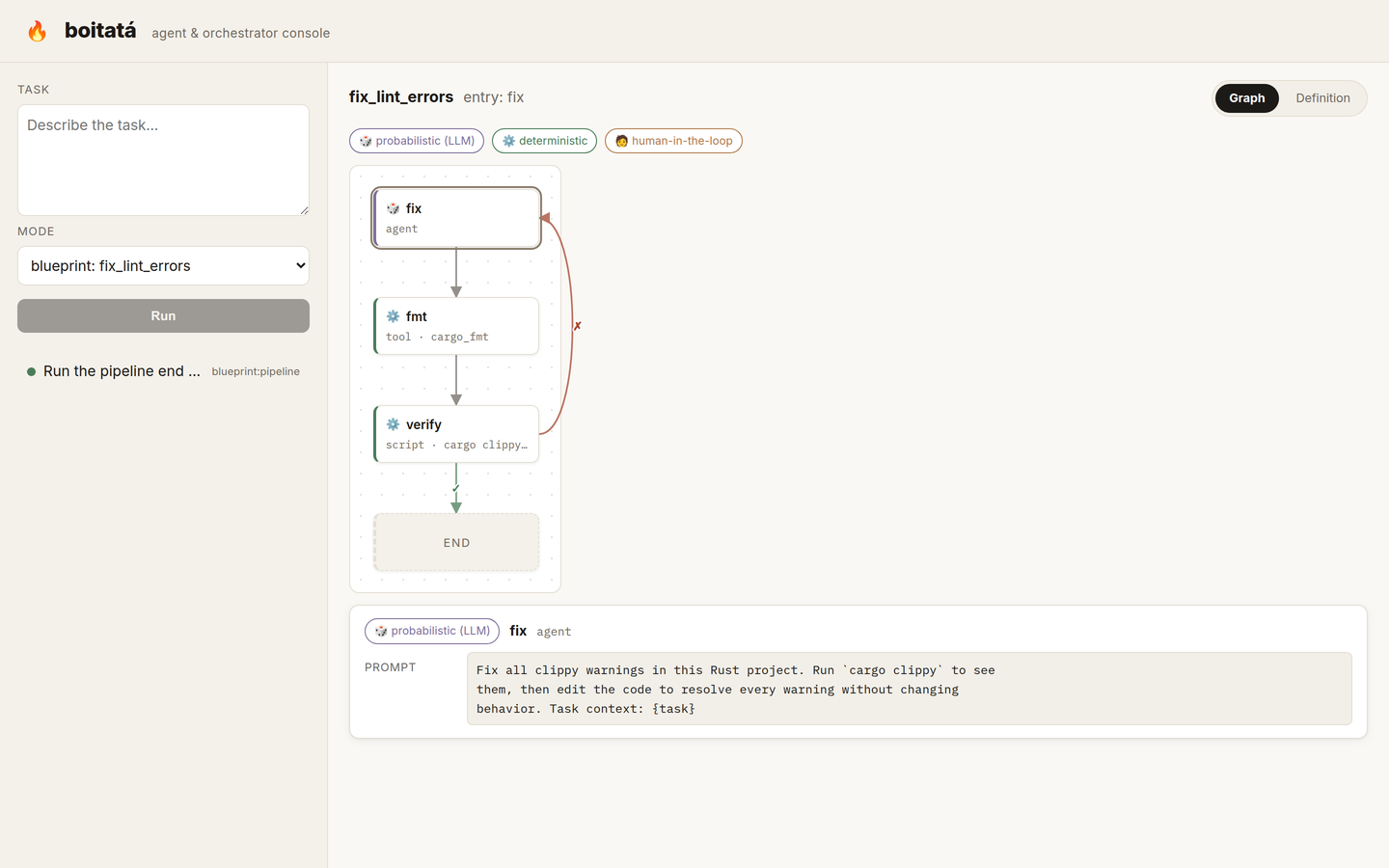
fix_lint_errors | agent -> cargo_fmt -> clippy (-D warnings), looping until clean |
fix_test_failure | agent -> cargo test, looping until the suite passes |
setup_devbox | script (devbox init && install) -> agent |
human_approval | human (approval) -> agent, ending on a negative reply |
containerized_task | provision -> checkout -> agent (in-container) -> cargo test, the agent fixing failures until they pass |
Writing your own
Drop a .yaml file and point --blueprint at its path. A common pattern is the
verify loop: an agent node does the work, a deterministic script node checks
it, and a failure edge routes back to the agent:
name: fmt_then_verify
entry: work
nodes:
  work:
    type: agent
    prompt: |
      Refactor the logging module for clarity. Task context: {task}
  fmt:
    type: tool
    tool: cargo_fmt
  verify:
    type: script
    run: "cargo test && cargo clippy -- -D warnings"
edges:
  - {from: work, to: fmt}
  - {from: fmt, to: verify}
  - {from: verify, when: failure, to: work}
  - {from: verify, when: success, to: END}
On the server
The web UI / server runs blueprints too, but by name
rather than by path: start it with --blueprints-dir <dir> and it offers every
.yaml in that directory (by file stem) in the run form and at
GET /api/blueprints. Only those vetted names are accepted; the server never
reads an arbitrary path from a network request. Point it at examples/blueprints,
or your own directory:
boitata-server --blueprints-dir examples/blueprints
MCP Servers
Boitata connects to MCP servers using the
official rmcp client.
Each server's tools are discovered at startup and exposed to the agent,
namespaced as <server>_<tool>, and called through the same agent loop as
built-in tools. So MCP tool calls show up in the audit log
just like built-in ones. A server that fails to start is logged and skipped, so
one broken server can't abort a run.
Transports
The transport is inferred from which field you set on a [[mcp_servers]] block:
| Field | Transport |
|---|---|
command | stdio: the server is spawned as a subprocess |
url | Streamable HTTP: connect to a remote server |
Set exactly one of the two per server.
Configuring a server
stdio (subprocess)
[[mcp_servers]]
name    = "filesystem"
command = "npx"
args    = ["-y", "@modelcontextprotocol/server-filesystem", "/tmp"]

[[mcp_servers]]
name    = "git"
command = "uvx"
args    = ["mcp-server-git"]
env     = { GIT_AUTHOR_NAME = "boitata" }
remote (Streamable HTTP)
[[mcp_servers]]
name       = "remote"
url        = "https://mcp.example.com/mcp"
auth_token = "your-token"          # sent as `Authorization: Bearer <token>`
headers    = { X-Workspace = "acme" }   # optional extra headers
On startup you'll see a line like MCP server \filesystem` connected: 12 tool(s). Credentials (auth_token) live in the git-ignored boitata.tomland are never logged;McpServerConfigredacts them in itsDebug` output.
Resources
When a server advertises the MCP resources capability, Boitata also registers two tools per server so the agent can gather context on demand:
| Tool | Purpose |
|---|---|
<server>_list_resources | Returns the available resource URIs, names, and descriptions |
<server>_read_resource | Reads one resource by URI |
These count toward the tool total reported at startup and, like all tool calls, appear in the audit log.
See the configuration reference for the full field list.
Providers
Boitata's provider layer is a multi-provider abstraction over the Provider
trait. Three providers ship built-in:
| Provider | provider value | Models |
|---|---|---|
| Anthropic | "anthropic" | Claude (Sonnet, Opus, Haiku) |
| OpenAI | "openai" | GPT (GPT-4o, GPT-4o-mini), and any OpenAI-compatible endpoint |
| Ollama | "ollama" | Local models via Ollama |
z.ai (GLM models)
z.ai exposes both an OpenAI-compatible and an Anthropic-compatible API, so either provider works against it.
OpenAI-compatible (recommended)
Matches the openai provider exactly:
provider = "openai"
model    = "glm-4.6"
base_url = "https://api.z.ai/api/paas/v4/chat/completions"
max_tokens = 4096
Anthropic-compatible
Uses the native Anthropic Messages API:
provider = "anthropic"
model    = "glm-4.6"
base_url = "https://api.z.ai/api/anthropic/v1/messages"
max_tokens = 4096
Then:
export BOITATA_API_KEY="your-z.ai-key"
./target/release/boitata run "Say hello and confirm the connection works"
The
anthropicprovider authenticates with thex-api-keyheader. If z.ai's Anthropic endpoint rejects it in favor ofAuthorization: Bearer, prefer the OpenAI-compatible config above.
Local models with Ollama
No API key required; just point at a running Ollama instance:
provider = "ollama"
model    = "llama3.2"
base_url = "http://localhost:11434"
API key precedence
For any provider, leave api_key blank in the file and export it instead. The
BOITATA_API_KEY env var takes precedence over the config file:
export BOITATA_API_KEY="your-key"
Server & Web UI
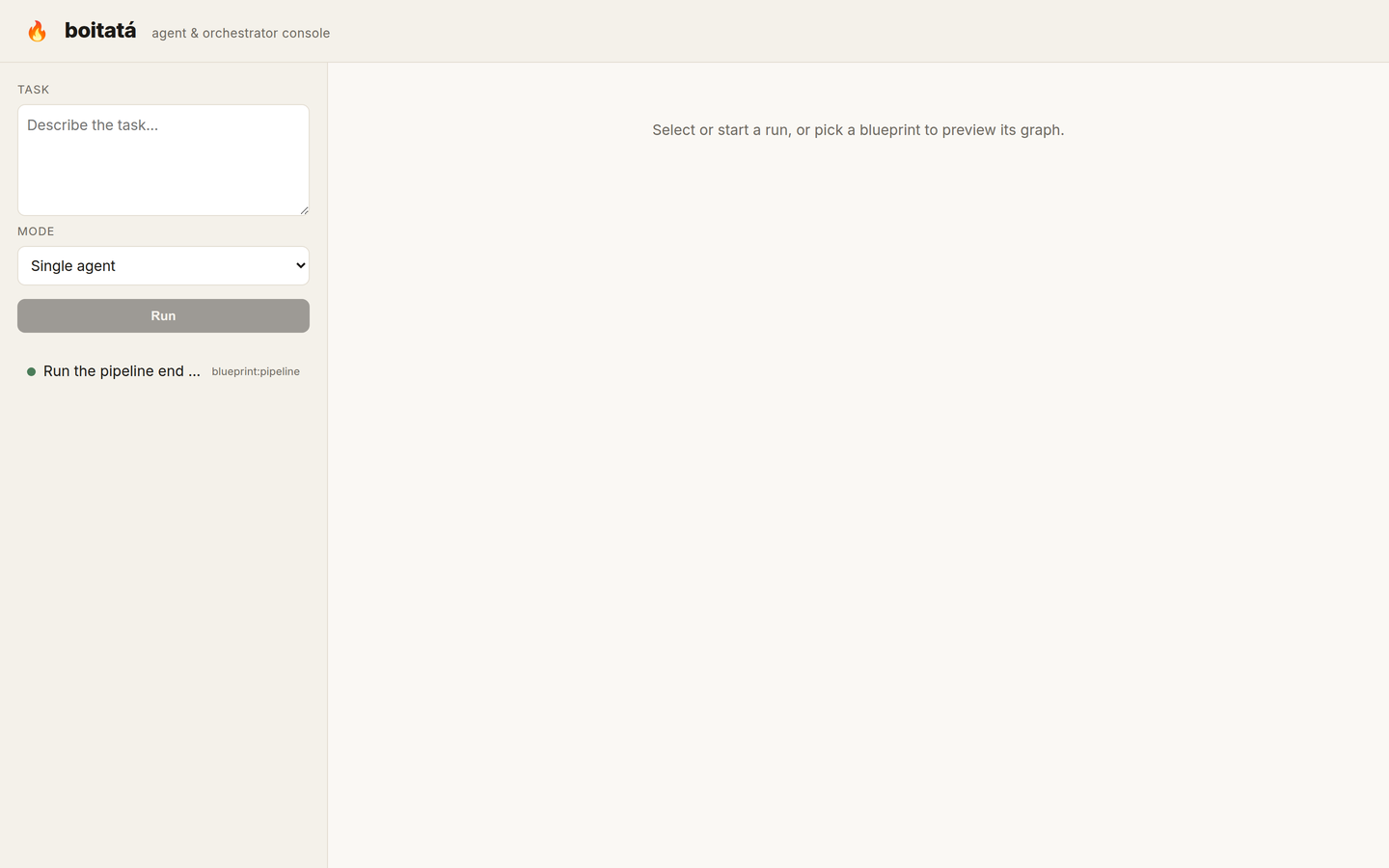
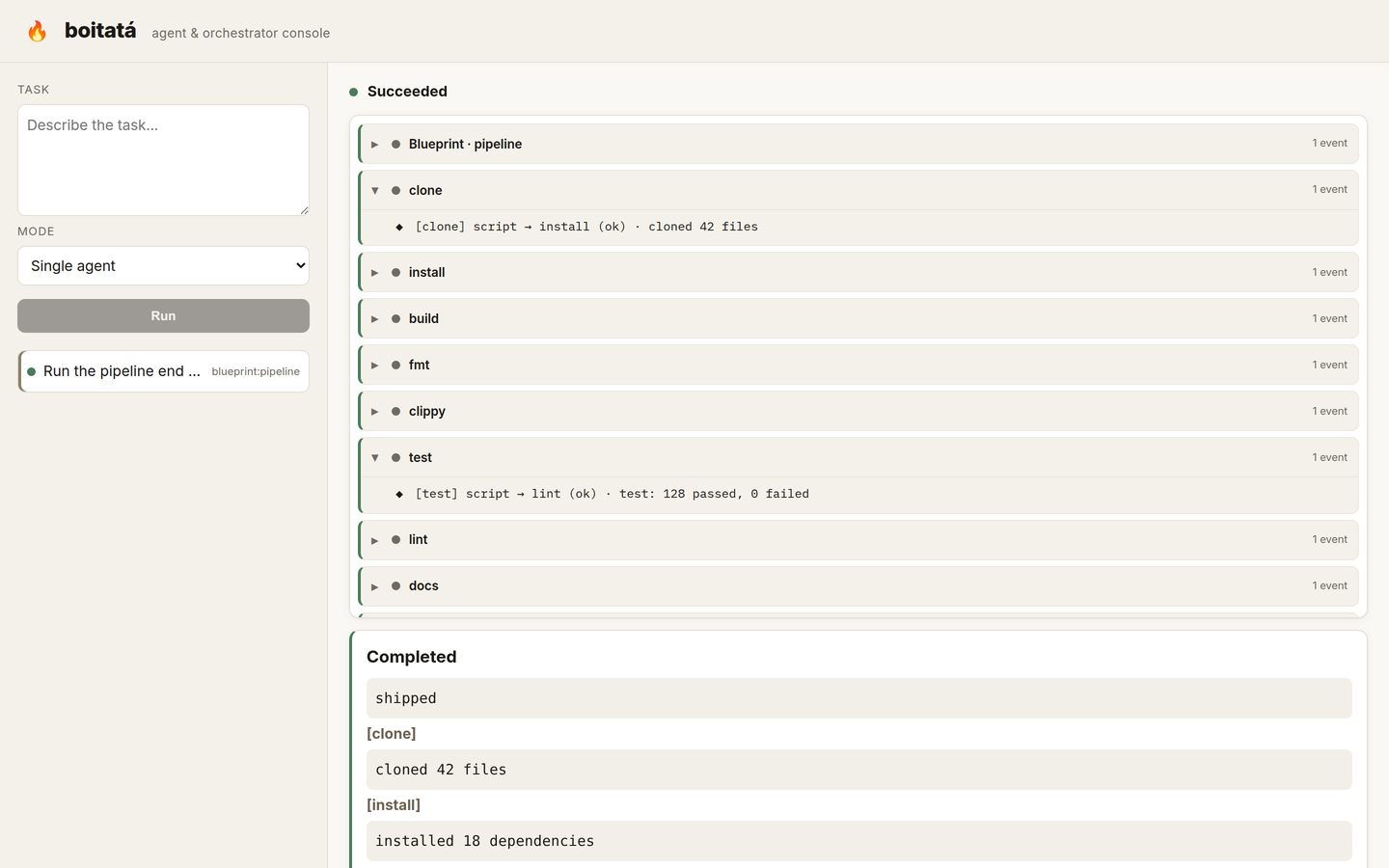
boitata-server is an HTTP/SSE backend with an embedded web UI for running
agent tasks and blueprints from a browser. It
reuses the CLI's runtime assembly (boitata_core::runtime) to build the
provider, tools, and policy once, then serves them to concurrent runs. A task
runs identically from the terminal, the web UI, or the CLI's remote mode.
Blueprints
The server offers blueprints by name from a directory you point it at with
--blueprints-dir. It never reads an arbitrary path from a network request (a
path-traversal risk), so only the vetted files in that directory are runnable.
Each file is compiled at startup, so a malformed blueprint fails fast. Without
the flag, the server runs the single-agent path only and /api/blueprints is
empty.
Run
# 1. Build the web UI (once, or after frontend changes). Output goes to
#    frontend/dist and is embedded into the server binary at compile time.
cd crates/boitata-server/frontend && npm install && npm run build && cd ..

# 2. Build and run the server (reads boitata.toml / $BOITATA_CONFIG like the CLI).
#    Pass --blueprints-dir to offer blueprints by name in the API and web UI.
cargo run -p boitata-server -- --addr 127.0.0.1:8787 --blueprints-dir examples/blueprints
Then open http://127.0.0.1:8787 and pick a blueprint (or "Single agent") in the run form.
The backend builds and runs without Node. If the UI hasn't been built, the API
still works and the root serves a build hint. For UI development with hot-reload,
run npm run dev in frontend/ (it proxies /api to :8787).
Screenshots
HTTP API
| Method | Path | Purpose |
|---|---|---|
POST | /api/runs | Start a run: { "task": "...", "blueprint": "name"? } returns { id }. blueprint is a configured name; an unknown name is rejected |
GET | /api/runs | List runs (newest first) |
GET | /api/runs/{id} | Run detail: summary, result, full event log |
GET | /api/runs/{id}/events | Live events (Server-Sent Events) |
POST | /api/runs/{id}/cancel | Request cancellation |
GET | /api/blueprints | Names of the configured blueprints (empty without --blueprints-dir) |
Runs are held in memory (v1); restarting the server forgets history.
Scheduling from the CLI
The boitata CLI can schedule a task on a running server instead of executing
locally, streaming the same events to your terminal:
boitata run "fix the failing test" --remote http://127.0.0.1:8787
It POSTs to /api/runs, tails /api/runs/{id}/events, prints the result, exits
non-zero if the run failed, and cancels the run on Ctrl-C. The remote run logs to
the audit log just like a local one. Over
--remote, a --blueprint value must be the name of one the server was started
with (--blueprints-dir); to run an arbitrary local .yaml file, drop
--remote and run it locally.
Roadmap
Where Boitata is headed. Checked items are done.
Sprint 1: Foundation
- Provider trait with multi-provider support
- Agent loop with context management
- Tool registry and first built-in tools
- File system tools (read, write, list)
Sprint 2: Tools
- Code operations (cargo check, clippy, fmt, test, add)
- Search tools (ripgrep integration)
- Git operations (status, diff, commit, branch)
- Command execution with safety checks (timeout, output cap, opt-out)
Sprint 3: MCP Integration
-
MCP client implementation (via
rmcp) - Tool discovery and registration
- Remote transport (Streamable HTTP) and stdio
- Resource access for context gathering
Sprint 4: Blueprint System
- Hybrid deterministic/agentic workflows (agent/tool/script/human node graphs)
-
YAML blueprint definitions (
--blueprint <path>to a user-provided.yaml) -
Example blueprints under
examples/blueprints/(default,fix_lint_errors,fix_test_failure,setup_devbox,human_approval,containerized_task) - Parallel super-steps (fan-out / fan-in), in-memory checkpoint and retry, human-in-the-loop
Sprint 5: Interfaces
- Cargo workspace of focused crates (core / agent / orchestrator / cli / server)
- HTTP/SSE server with an embedded React web UI for task monitoring
-
CLI
--remotemode: schedule a task on a server and stream its progress
Sprint 6: Sandboxed Execution
-
Container blueprint nodes (
provision/checkout/exec) via Docker, with automatic teardown at run end -
Sandboxbackend trait so other backends can slot in -
boitata-agentas an Agent Client Protocol (ACP) server and client (boitata-acp) -
agent_sandboxnode: run the agent inside a sandbox over ACP -
Firecracker microVM
Sandboxbackend (ACP over vsock) and a rootfs image - End-to-end: a task spins up a VM with the code, its deps, and an agent that edits, compiles, and tests inside it
Later
- Container/VM hardening (resource limits, dropped capabilities, network policy)
- Multi-tenant authentication and per-run credential isolation
- Snapshot/restore for retries; a durable task queue
Contributing
Contributions are welcome. Feel free to open a pull request.
Development setup
See Installation to get a working build. The development loop is standard for a Rust workspace:
cargo fmt --all              # format
cargo clippy --all-targets --all-features   # lint
cargo test --all-features    # tests
CI runs all three on every pull request (pinned to the same toolchain via
rust-toolchain.toml), so a green local run is a good signal.
Editing this book
The documentation lives in
docs/ and is
built with mdBook:
cargo install mdbook      # if you don't have it
mdbook serve docs/        # live preview at http://localhost:3000
mdbook build docs/        # render to docs/book/
The table of contents is
docs/src/SUMMARY.md.
Add a chapter by creating a Markdown file and listing it there.
Acknowledgments
- Stripe's Minions, for the blueprint architecture and determinism-first approach.
- Block's Goose, for the modular Rust architecture and MCP integration patterns.
License
MIT License. See the LICENSE file for details.